Overview
The catalogs covered very different product categories, audiences, and page counts, but they all needed to do the same basic job: organize a large amount of product information in a way that was clear, useful, and visually engaging.
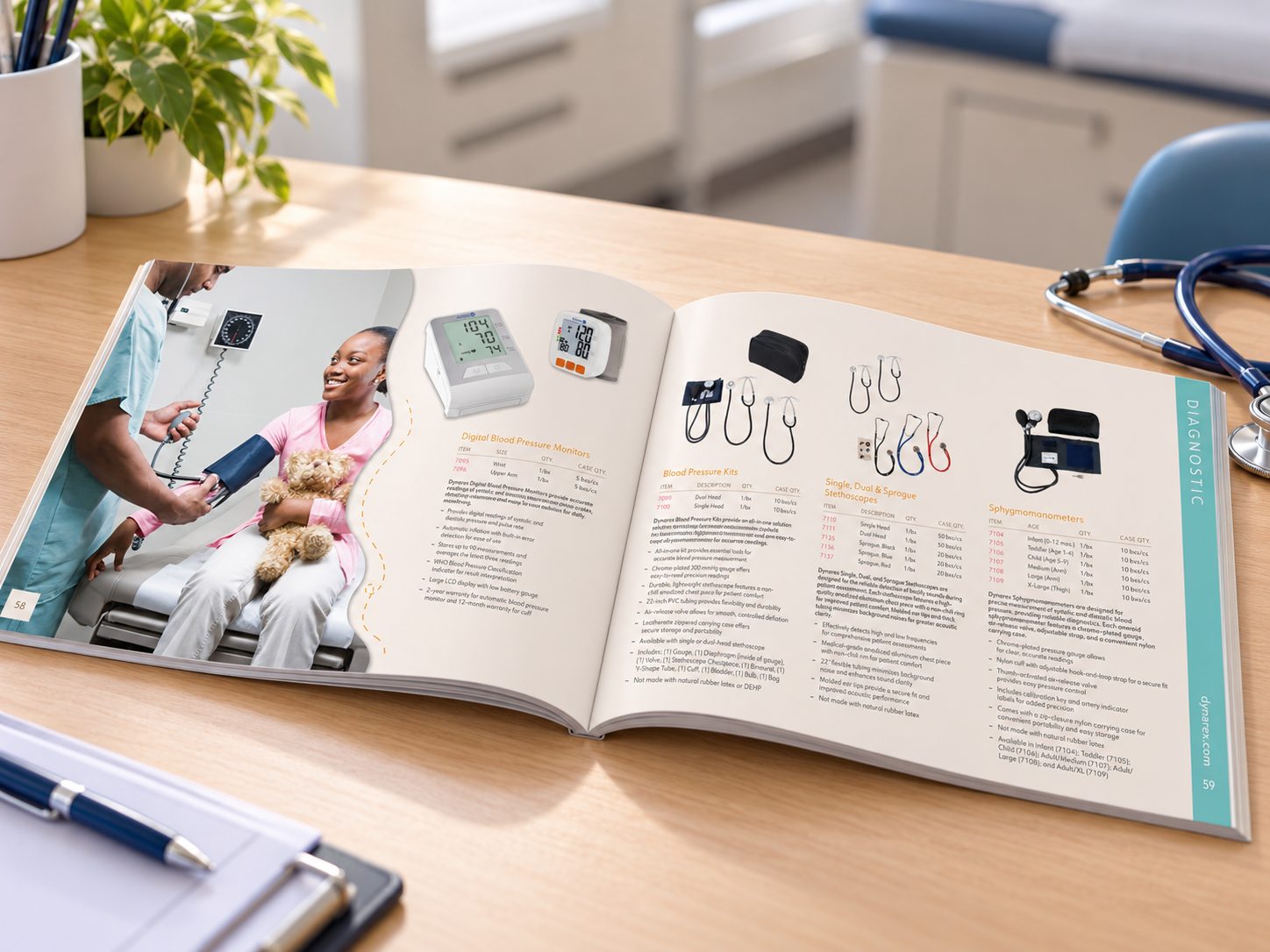
Earlier catalogs were much more utilitarian. As I took over the creative direction, I began pushing them beyond simple product listings and giving each one a stronger visual identity. Photography, category styling, hierarchy, page structure, and pacing became a bigger part of the experience.
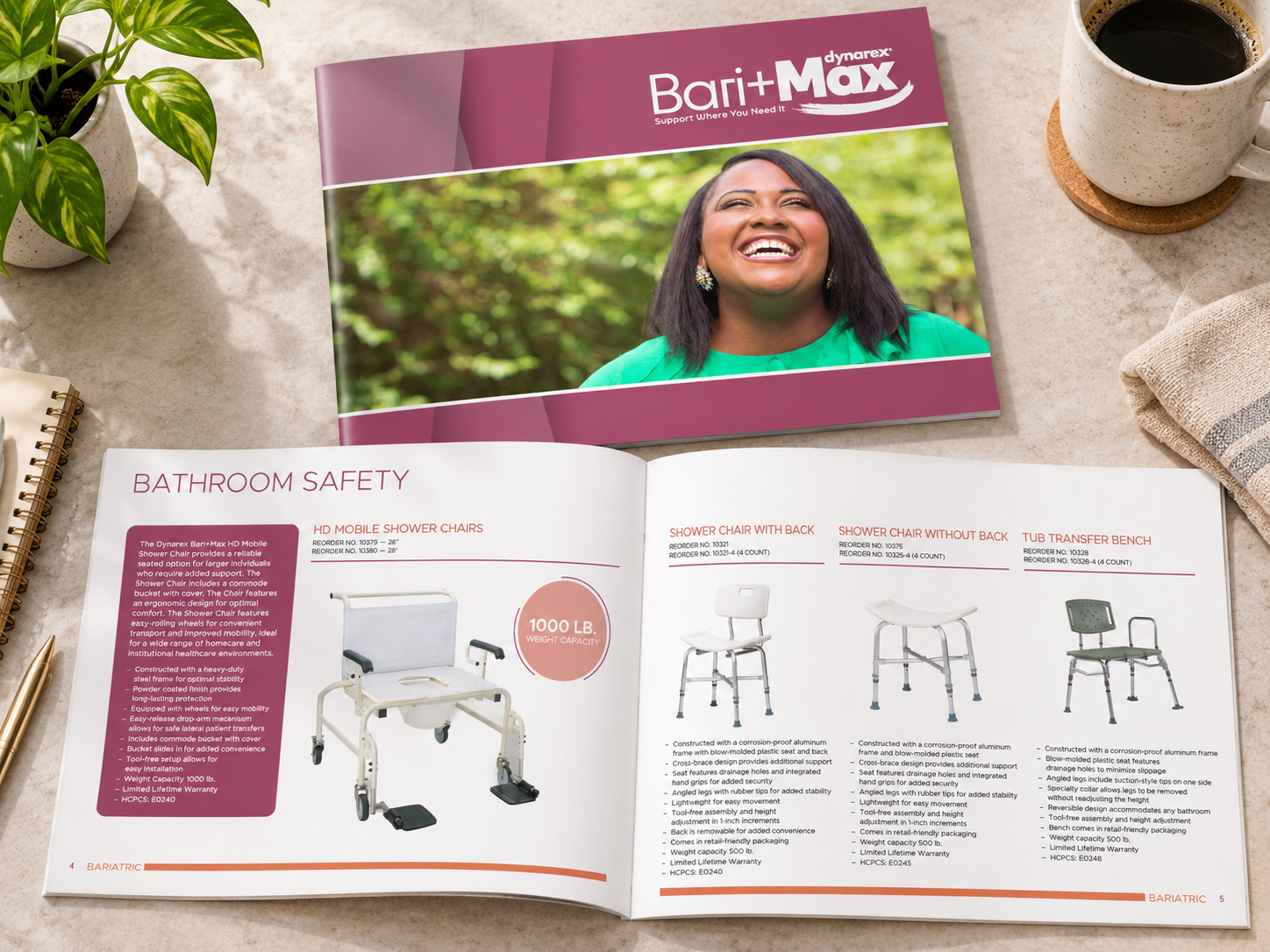
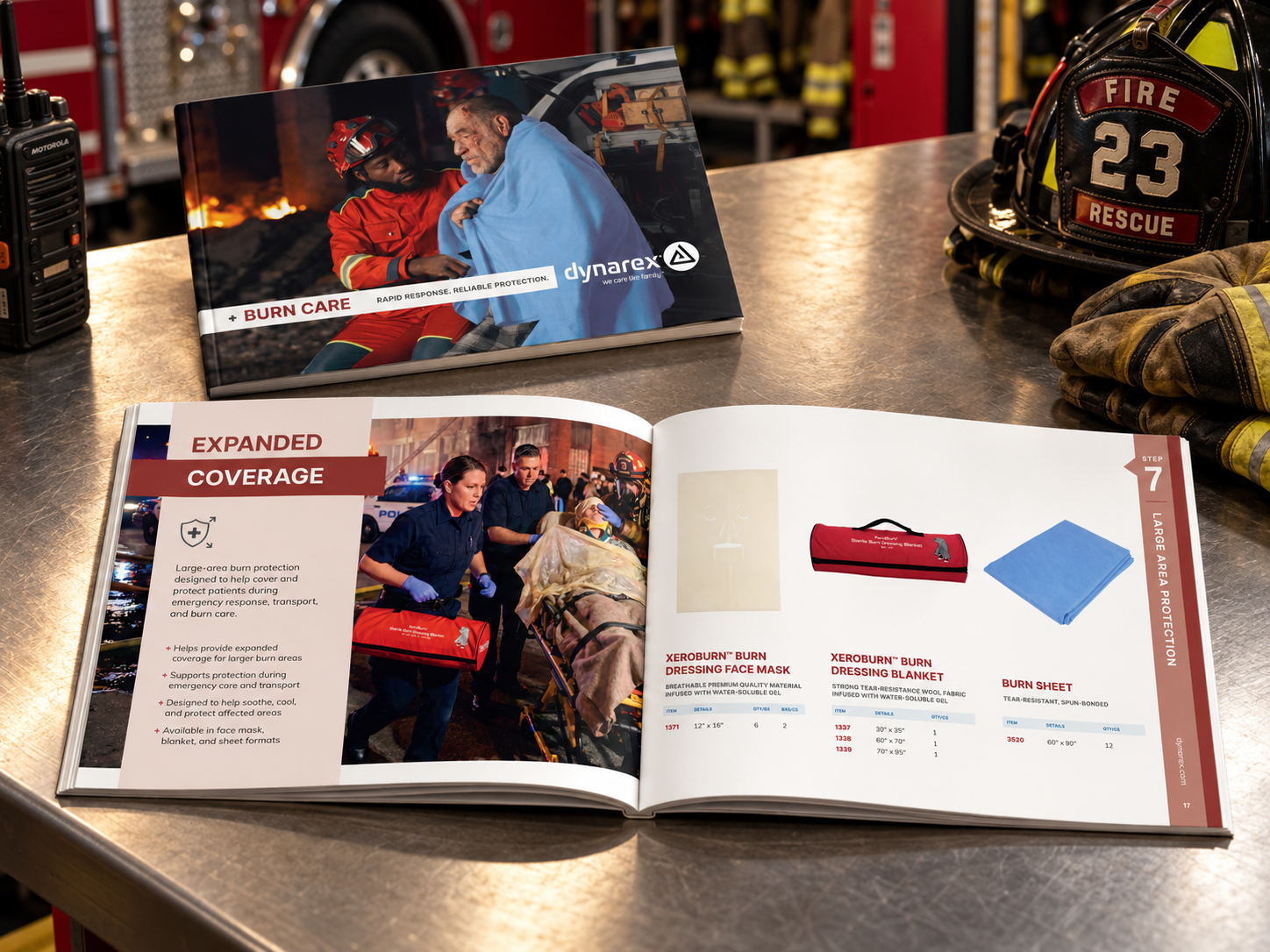
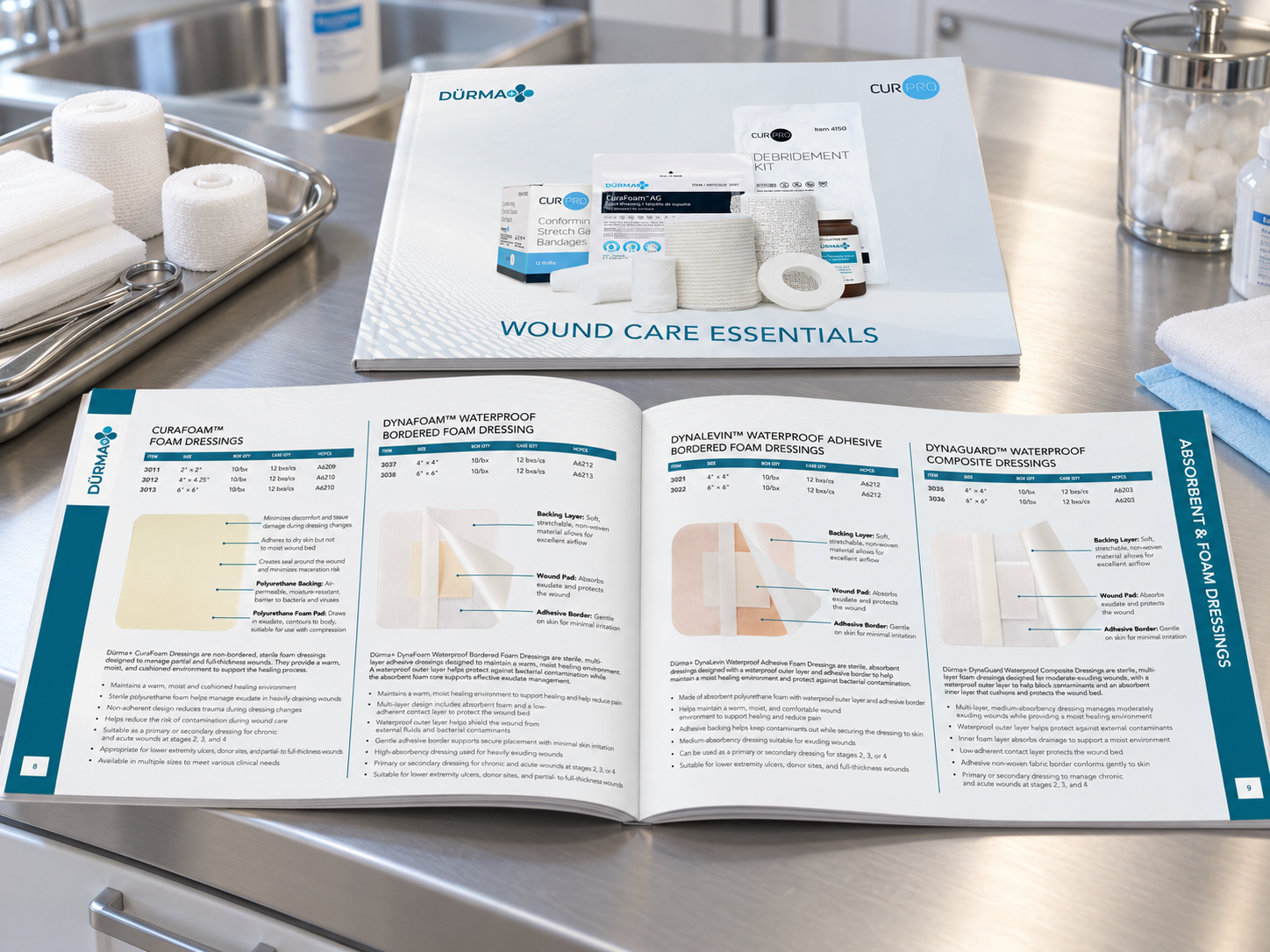
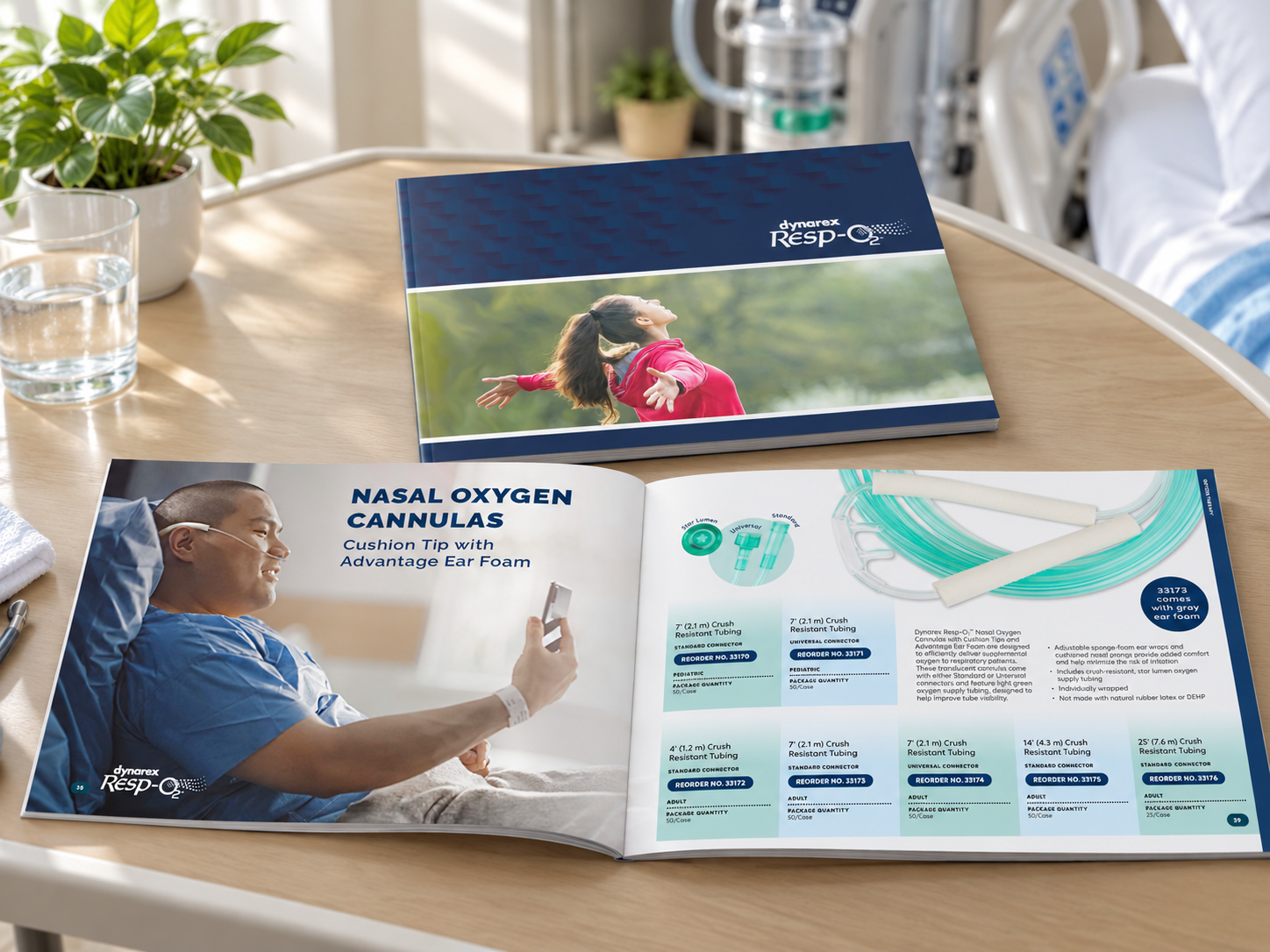
The work ranged from focused category publications such as Burn and Wound Care Essentials to larger catalogs including School Medical Supplies, along with specialized brands such as Bari-Max, LabChoice, Resp-O₂, and The Glenshaw Collection.
My Role
I designed seven of the featured catalogs myself and provided creative direction for five additional catalogs completed by designers on my team.
For the catalogs I designed, I developed the overall visual concept, organization, page structure, hierarchy, imagery approach, and layout system.
For the team-produced catalogs, I established the sections, organization, structure, and creative direction before design began. I then reviewed the layouts throughout the process, provided feedback, and helped ensure the finished publications stayed aligned with the intended direction.
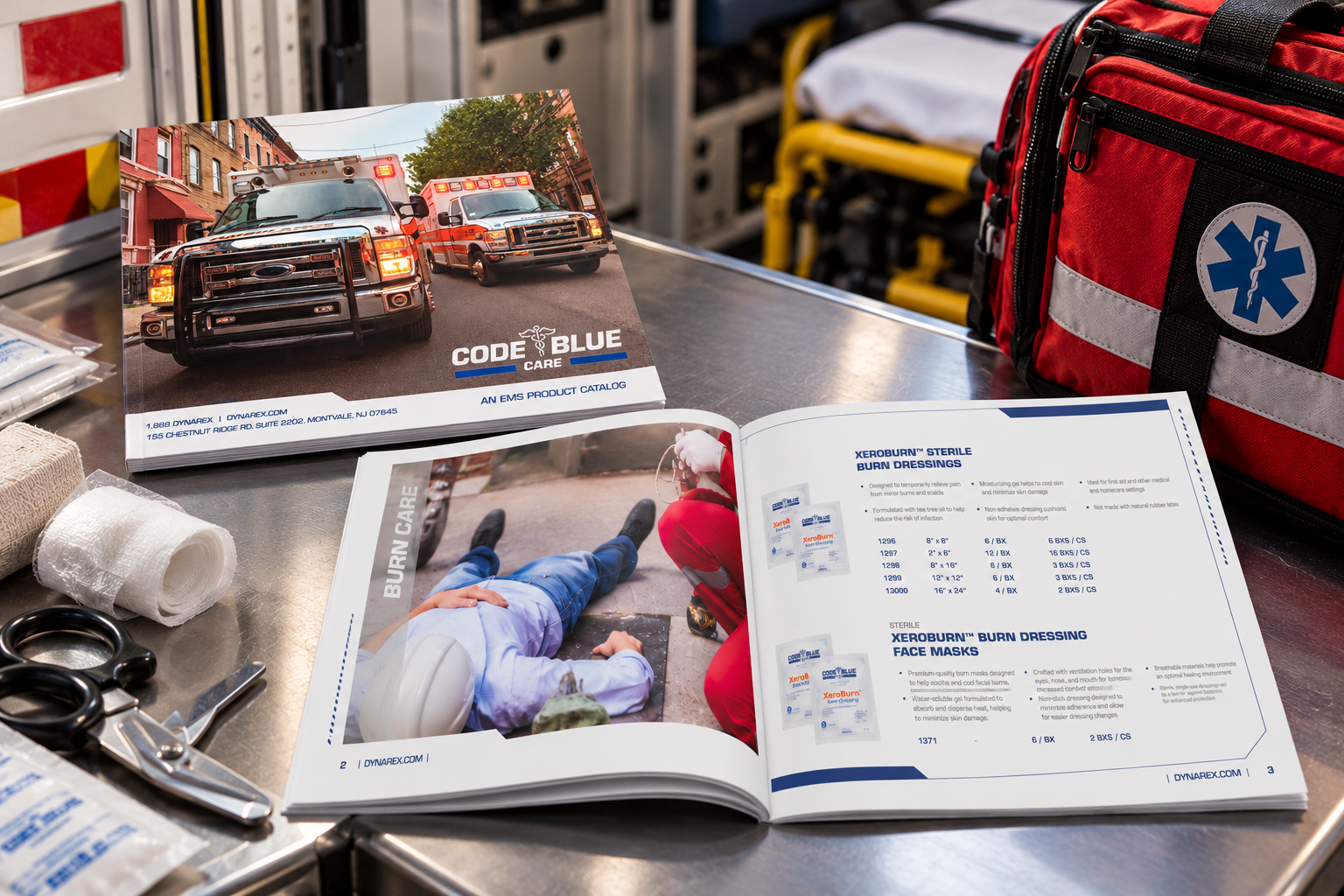
Examples of team-produced work under my direction included Med Delivery, Wound Skin and Hygiene Solutions, Exam Room, EMS, and Code Blue Care.
Elevating the Design
One of my priorities was making the catalogs feel less like databases placed on a page and more like designed publications.
That meant giving more attention to how someone actually moved through the book. I used stronger category openings, lifestyle imagery, clearer hierarchy, more deliberate spacing, and visual differences between sections so large amounts of information were easier to take in.
The design still had to support detailed product information, but it did not need to feel dry or repetitive.
The change is especially clear when comparing the later School Medical Supplies, EMS, and Wound Care work with the earlier versions of those catalogs.
Examples of the older catalogs: School Medical Supplies, EMS, and Wound Care.
Building a System in InDesign
These were not one-off page layouts. I built them as working publication systems in Adobe InDesign.
Master pages, style sheets, table of contents features, indexing tools, and repeatable page structures helped keep long documents consistent and made later revisions much easier to manage.
For product-driven catalogs, we also used EasyCatalog with Salsify data, which reduced the amount of manual updating required when product information changed. Once the structure was in place, changes that could otherwise take a significant amount of production time were much faster to implement.
That was especially important on larger catalogs where even a small product change could affect multiple pages, tables, references, or the index.
Speed without Sacrificing Structure
I work quickly in InDesign.
Depending on the size and complexity of the catalog, I could usually build the initial layout in roughly two to seven days. That did not mean the entire project was complete in that time. It meant the core publication was designed, structured, and ready to move into the review process.
Final completion could take much longer because a catalog depended on information and approvals from several departments. Content could change repeatedly during review, writers sometimes rewrote sections after pages had already been built, and other teams occasionally had staffing limitations or higher-priority projects that affected the schedule.
Part of my job was adjusting to those changes without losing control of the publication or creating unnecessary production work.
When catalogs were assigned to designers on my team, I gave them more time based on their workload and individual pace. My own production speed was never the expectation I placed on everyone else.
Cross-Department Collaboration
Catalog production required constant coordination outside of Graphics.
I worked across departments to gather information, clarify content, track missing pieces, manage review cycles, and keep approvals moving. When copy or product information changed, I had to understand how that change affected the rest of the document and make sure the right updates carried through.
The initial design was often the fast part. Keeping a large publication accurate while information continued to change was where project management became just as important as design.
Leading the Team
As my role grew, I was no longer responsible only for the catalogs I personally designed.
I created the visual direction and then helped other designers apply that thinking to their own publications. I reviewed layouts, gave feedback, solved production issues, and made sure the work still felt intentional rather than simply following a template.
I wanted the designers to have enough structure to keep the brand consistent, but enough flexibility to make each catalog appropriate for its specific product category.
The Result
The catalogs became more polished, easier to navigate, and more visually distinct from one category to another while still working as part of the larger brand.
The production process also became more efficient. Building stronger InDesign systems and connecting product data through EasyCatalog made large documents easier to maintain as information changed.
This work is a good example of how I approach design leadership. I was still very hands-on and capable of building a large publication quickly myself, but I was also setting the creative direction, managing timelines, coordinating with other departments, and helping other designers deliver work within the same system.